HOW TO USE BARTLETT’S EMAIL SIGNATURE
Bartlett Bearing now has a standard email signature you should use for all new and reply-to emails. Here is a step-by-step guide to using the signature.

1. Click the link that opens our email signature generator for your branch.
a. https://philadelphiafulllogo.signature.email/
b. https://gastoniafull.signature.email/
c. https://hebronfull.signature.email/
d. https://pelhamfull.signature.email/
e. https://tampafull.signature.email/
f. https://grainvalleyfull.signature.email/
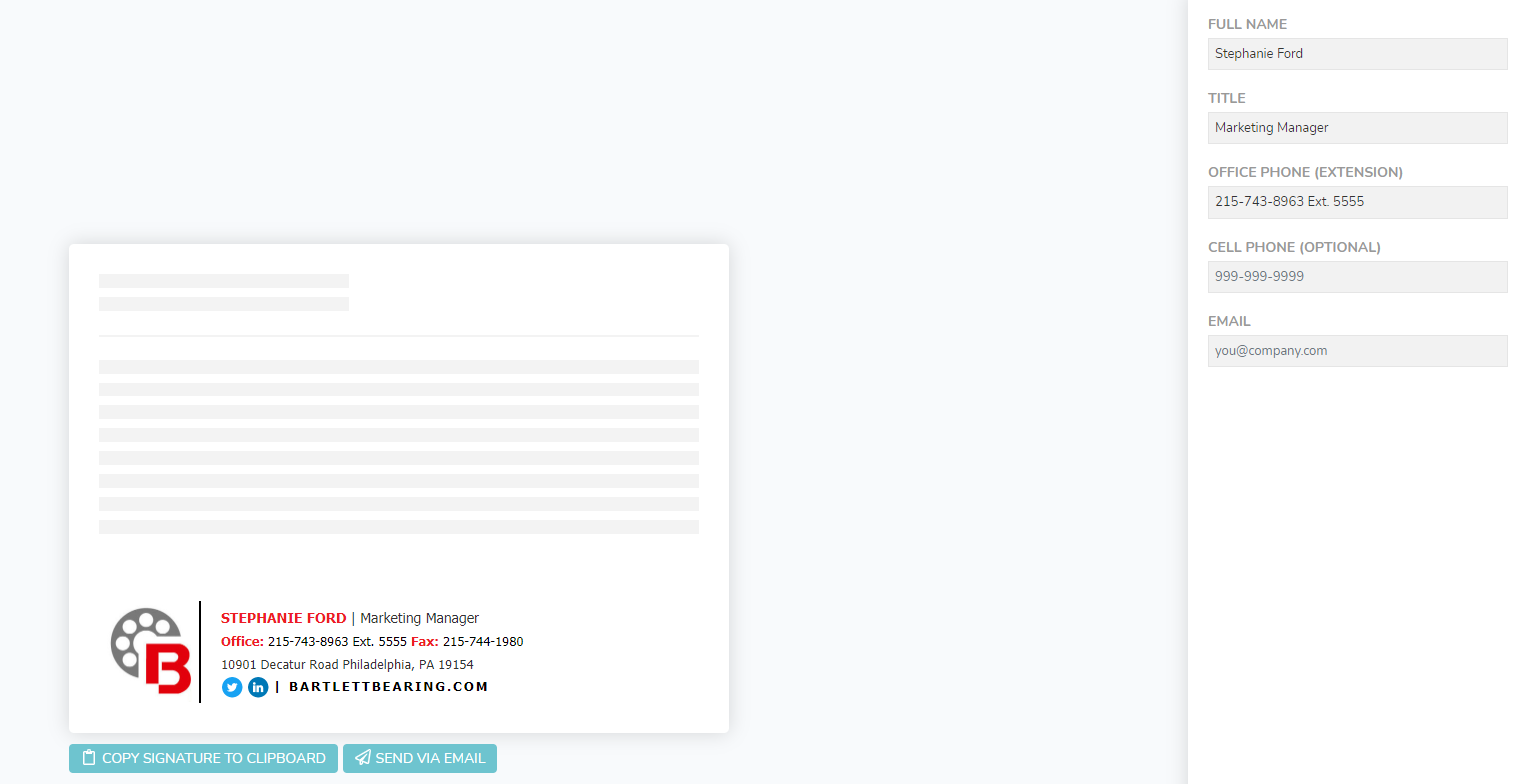
2. Fill in your contact information.
a. Name – please put your first and last name.
b. Title – please fill in your title.
c. Phone – your branch office number is already input, but you may include your extension. If you do not want to include your extension, please delete the “Ext. 5555” from this field.
d. Cell Phone – this is optional, but if you use a cell phone for work and would like to have it in your signature, please fill it in.
e. Fax – Please enter the correct fax number for your department. If already correct, you can move to the next section.
f. Email – this will not appear in the final version of your signature but is required to complete the form field.
3. Once you have filled in all the required fields, you should see a sample on the screen of how your signature will look. Double check that all fields are showing accurately, then click “Copy Signature to Clipboard” and follow the instructions for Outlook.
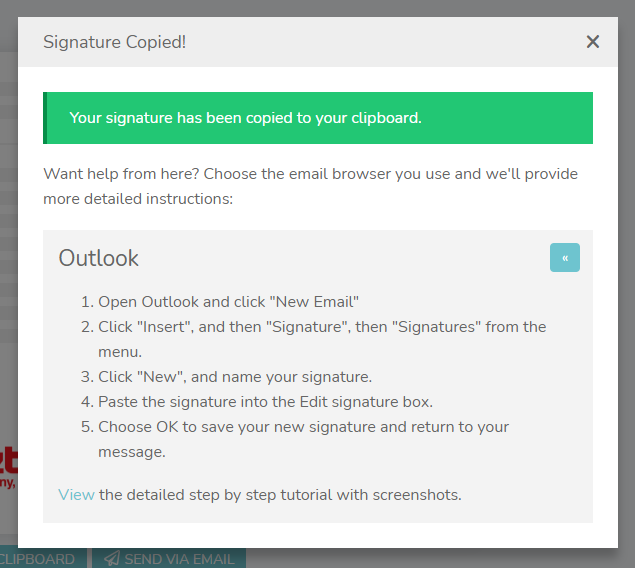
If you need further assistance with inserting your signature, click the “View the detailed step by step tutorial with screenshots” area. If you are still having trouble, please contact IT
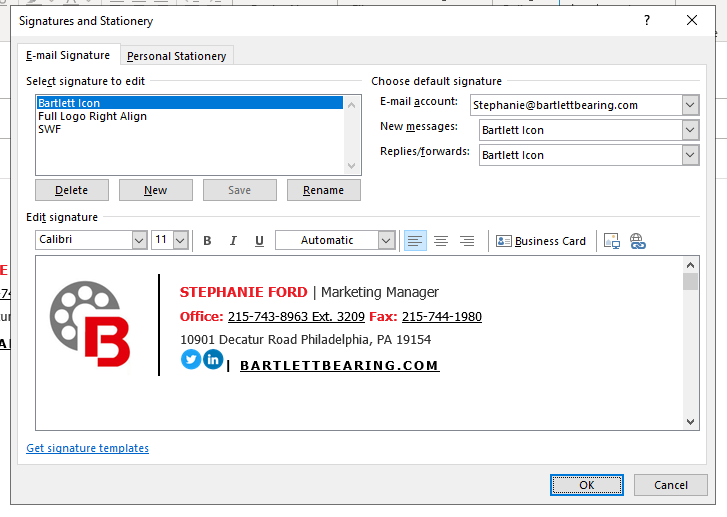
**Be sure to use this as both “New” and “Reply” emails by selecting the icon signature in each drop-down selection as seen below. **